
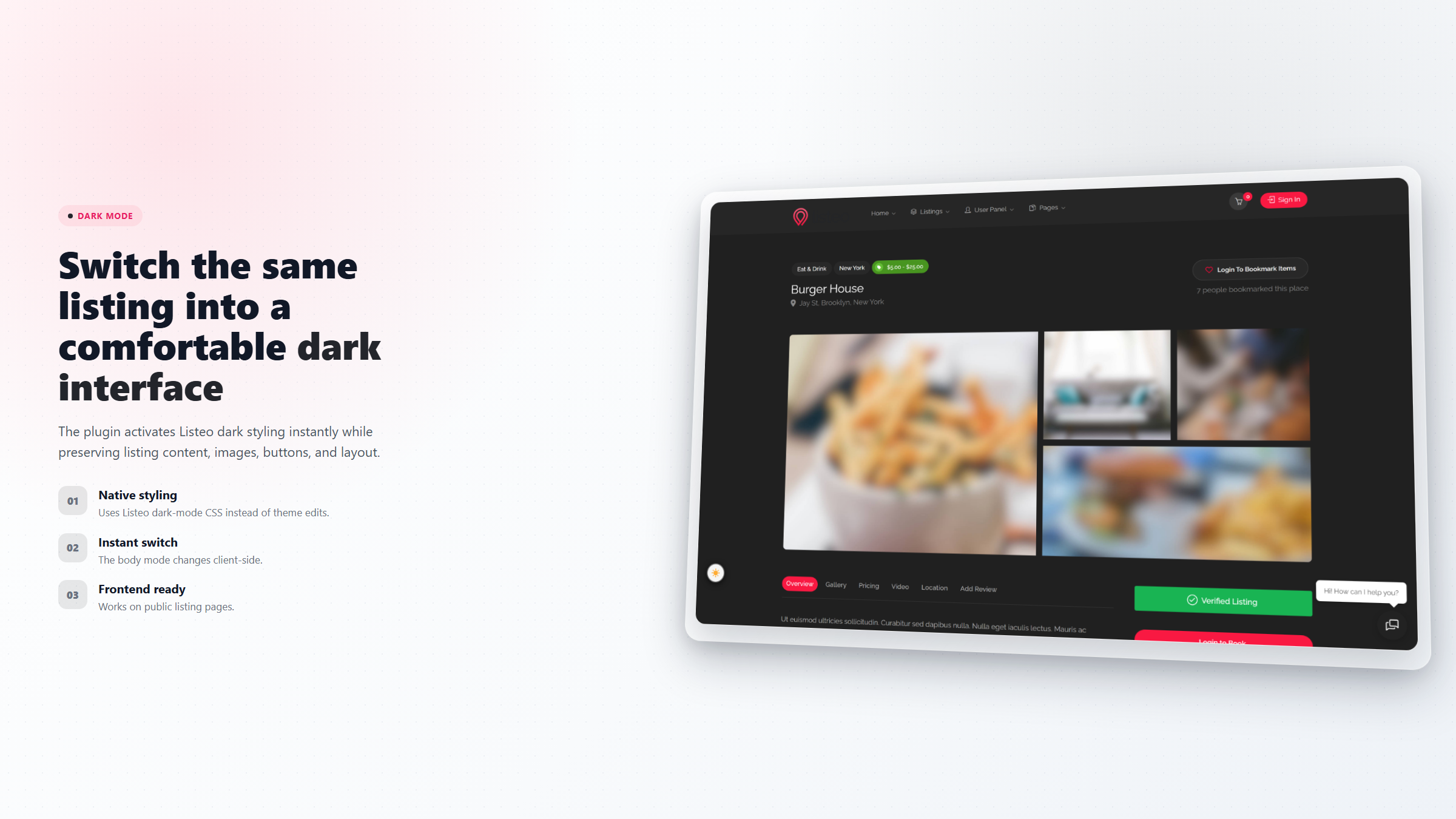
Dark Mode for Listeo v1.0.0 is the first public release of ListingPilot’s lightweight dark mode switcher for Listeo-powered WordPress directories. It gives visitors a simple way to switch between light and dark mode while keeping the implementation fully aligned with Listeo’s native dark mode structure.
Instead of replacing theme behavior or adding a separate visual system, Dark Mode for Listeo works directly with Listeo’s existing body#dark-mode mechanism and the theme’s own dark stylesheet. This means your site keeps the visual language of Listeo, while gaining a cleaner, visitor-friendly control layer for switching color schemes.
Built on Listeo’s Native Dark Mode
Many dark mode solutions try to override a theme from the outside. That can create visual inconsistencies, broken sections, or a maintenance problem every time the theme updates. Dark Mode for Listeo takes a more practical approach: it loads Listeo’s native dark mode CSS and activates it only when needed.
For site owners, this keeps the setup update-safe and simple. There are no theme file edits, no child theme requirement, and no need to touch the Customizer just to let visitors choose their preferred mode. When the plugin is enabled, the frontend behavior is handled by the plugin while Listeo’s own dark mode styling remains the foundation.
Visitor Choice That Stays Remembered
The plugin includes a clear toggle button that lets each visitor switch between light and dark mode instantly. Their choice is stored in a cookie for one year, so returning users continue with the same preference across pages and future visits.
The switch happens live on the page without forcing a reload. The body mode, dashboard-related classes, toggle state, and visual styling are updated immediately, creating a smoother experience for directory visitors browsing listings, bookings, dashboards, or content pages.
Flexible Default Modes
Dark Mode for Listeo gives administrators control over the default mode used before a visitor makes a manual choice. You can set the site to start in light mode, dark mode, automatic mode, or scheduled mode.
Automatic mode follows the visitor’s operating system preference using prefers-color-scheme. If a visitor has their device set to dark mode, the site can automatically open in dark mode. If they use light mode, the site follows that preference too.
Scheduled mode is useful for directories that want a more time-aware experience. You can define dark mode hours, such as 19:00 to 07:00, and the plugin evaluates the schedule using each visitor’s local clock. It also re-checks the schedule while the page is open, so the mode can change at the boundary without a page reload when no manual visitor choice exists.
Floating Button and Shortcode Placement
The plugin includes a floating toggle button that can appear in the bottom-right or bottom-left corner of the site. It is designed to stay visible and usable, and it can lift itself above common Listeo interface elements such as the floating chat button or back-to-top control.
For more custom layouts, Dark Mode for Listeo also includes the shortcode [listeo_dark_mode_toggle]. This makes it easy to place the switcher in a menu, header, Elementor section, widget area, or any content area that supports shortcodes.
Extra CSS for Custom Sections
Some Listeo sites use Elementor or custom sections with editor-defined background colors. Those styles may not always be covered by the theme’s standard dark mode CSS. For that reason, the plugin includes an Extra Dark Mode CSS field in the admin settings.
This gives site owners a controlled place to add dark-mode-only overrides, using selectors such as body#dark-mode. It is especially useful for polishing landing pages, listing sections, custom dashboards, and promotional blocks that need a final visual adjustment in dark mode.
Admin, Licensing, and Updates
Dark Mode for Listeo appears inside the shared ListingPilot admin experience and includes settings, license status, and product information screens. Automatic updates are available for every installation through the ListingPilot update API. License activation is used for support access, not for locking the plugin’s core features.
This release is focused on providing a stable, practical foundation: native Listeo integration, instant switching, remembered visitor preferences, flexible defaults, shortcode support, and administrator-level control without theme edits.
FAQ
Does this plugin require editing Listeo theme files?
No. Dark Mode for Listeo works without editing theme files. It uses Listeo’s native dark mode behavior and applies the visitor-facing switcher on top of it.
Can visitors choose their own mode?
Yes. Visitors can switch between light and dark mode using the toggle button. Their choice is remembered for one year.
Can the site follow the visitor’s system preference?
Yes. The automatic mode can follow the visitor’s operating system preference for light or dark mode.
Can I place the toggle in my header or menu?
Yes. Use the shortcode [listeo_dark_mode_toggle] anywhere shortcodes are supported.
Is this an official Listeo or PureThemes product?
No. Dark Mode for Listeo is developed and maintained by ListingPilot and is not affiliated with, endorsed by, or officially connected to PureThemes or Listeo.
Changelog
What changed
Initial release of Dark Mode for Listeo.
Visitor-facing light/dark mode toggle built on Listeo’s native dark mode system.
Default mode options for light, dark, automatic OS preference, and scheduled dark hours.
Floating toggle button with bottom-right and bottom-left placement options.
Shortcode support with [listeo_dark_mode_toggle].
Extra Dark Mode CSS field for custom Elementor or theme section overrides.
ListingPilot Hub registration, license screen, and automatic update checker.
Uses Listeo’s native body#dark-mode and dark-mode.css behavior for update-safe switching.
Get the latest version today
Existing customers update for free from their account.
Dark Mode for Listeo - instant download - customer updates included